The block and the large head
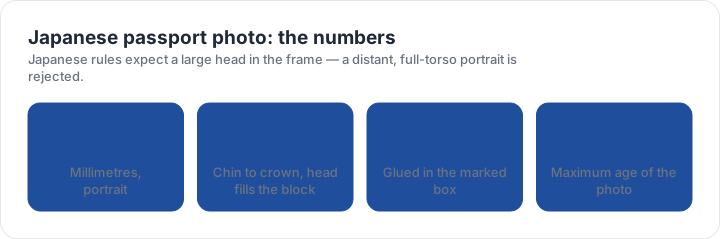
The photograph is 35 mm wide by 45 mm high, printed without a border. The head should fill most of the block — around 34 mm from chin to the crown of the head — which is a closer crop than applicants who are used to a passport photo with visible shoulders usually produce.
The background is plain with no shadow, and the face is evenly lit rather than modelled. Coloured or dark lenses are not acceptable, and the photograph should have been taken within the last six months. A photo printed at a shop for another country is often the wrong shape in the other direction: it includes too much shoulder and leaves the head too small for the block.
One print, glued into the box
The application wants a single photograph, and it is attached in the marked box on the form. The box is the target rather than the sheet: a good photo glued a few millimetres off centre, tilted, or overlapping the printed line reads as a careless application and can be returned.
Glue rather than staple or tape. Staples perforate the photo and the form, and tape leaves a shiny edge that catches the light. Trimming matters too: no white margin, no rounded corners, and no scissor wobble along the edge. If the form asks for your name and date of birth on the back, write them where indicated and keep the front completely clean.
A sharp photo can still be a rejected photo. The rules that send applications back are measurements — the block, the head band, the background lightness — so the fastest check is a measurement, not a second opinion from a friend. The checker takes that measurement from your own file.
Fitting the photo to the form
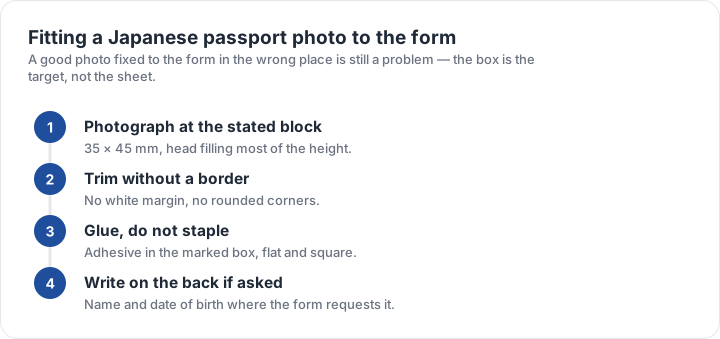
- Shoot at the stated block35 × 45 mm with the head filling most of the height.
- Trim without a borderStraight edges, no white margin, no rounded corners.
- Dry-fit before gluingCheck the photo sits inside the printed box on the form.
- Glue, do not stapleAdhesive in the marked box, flat and square, with the head upright.
- Write on the back only if askedName and date of birth where the form requests them.
It is worth dry-fitting before any adhesive goes near the form, because re-gluing a photo creases both the print and the paper beneath it. If the block you have is slightly the wrong proportion, re-crop the file and print again rather than trimming a finished print — trimming takes millimetres off the sides of the face, and a clipped ear or hairline is a refusal reason in its own right.
Where Japanese photos fail, and how to check
Three faults cover most Japanese rejections: a head that is too small because the photo was framed to include the shoulders, a shadow behind the head caused by a ceiling light, and an attachment problem — the photo glued off-centre or overlapping the printed box. None of these is about the quality of the lens or the studio.
For the measurement itself, the Japanese checker preset reports the aspect ratio and how much of the frame height the head occupies between the guide lines you drag, and the size matrix compares this block with the other portrait blocks on the site. If you are also filing for another country, the routes page explains which production method best suits an unusual crop.
| Requirement | What the official rule says | |||||||
|---|---|---|---|---|---|---|---|---|
| ('Country / document', 'Japan — Japanese passport — printed photo') | ('Printed size', '35 × 45 mm') | ('Head height', 'Not specified as a fixed band — keep the head centred and uncropped') | ('Digital upload', 'Not applicable — this one is filed on paper') | ('File format & size', 'Photo paper, no file limits') | ('Background', 'Plain background, no shadows') | ('Recency', 'Taken within the last 6 months') | ('Glasses', 'No glasses with coloured or dark lenses') | ('Official source', 'Official page') |
Specification source: https://www.mofa.go.jp/ · checked October 2026 · Passport application filed in Japan or at a Japanese mission.