
The photo and the file
The photograph itself follows the U.S. passport rules: 51 × 51 mm, which is 2 × 2 inches, with the head between 25 mm and 35 mm from chin to the top of the head, on a plain white or off-white background, taken within the last six months, with no glasses.
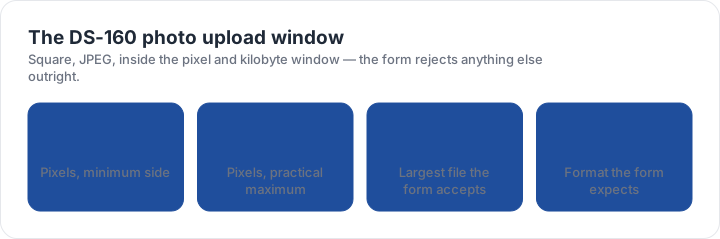
The file rules are where the DS-160 differs. The upload must be a square JPEG of at least 600 × 600 pixels and no more than 1200 × 1200 in practice, no larger than 240 KB. That ceiling is a fifth of what the passport online renewal accepts, and it is the reason a perfectly good photo can be refused by a form rather than by a person.
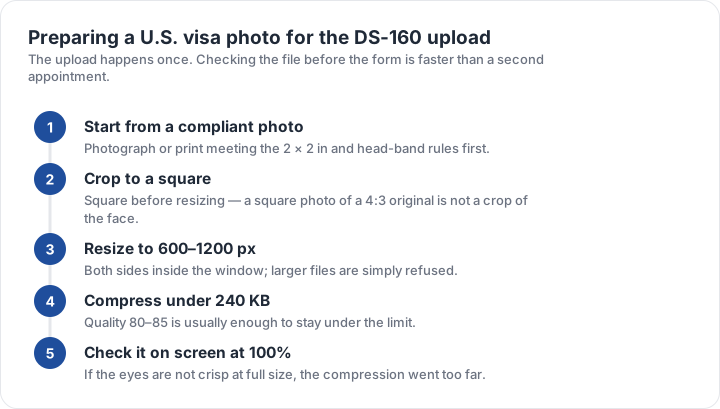
Preparing the file, in order
- Start from a compliant photographA 2 × 2 inch image with a 25–35 mm head before any resizing.
- Crop square firstSquare the image, then resize — resizing a 4:3 frame leaves the face off centre.
- Resize inside the windowBoth sides between 600 and 1200 pixels; larger files are simply refused.
- Compress under 240 KBA quality setting near 80 usually lands between 100 KB and 200 KB.
- Check at 100 per centIf the eyes are not crisp at full size, the compression went too far.
The compression step is the one that quietly ruins photos. Dropping quality until the byte count fits can soften the eyes past the point a face-matching system can use them. Compress in small steps and look at the file at full size rather than at thumbnail scale.
What is not accepted
No filters, no red-eye correction, no retouching and no selfies. A scan of a printed photo, or a phone photograph of one, is not accepted as the digital upload. A photo taken with a phone held at arm’s length usually fails the head band before it reaches the file stage, because the head ends up around half the frame height instead of the required share.
The visa photograph is also required in printed form at the interview in many cases, so the safest plan is a single photograph that satisfies both: print it at 51 × 51 mm with a 25–35 mm head, and export the same image as a square JPEG under 240 KB.
The most common mistake is geometrical, not photographic. A sharp phone photo whose head fills the wrong share of the frame is rejected, while a plainer one with the head inside the band passes. The checker measures exactly that.
Comparing the U.S. visa rules with the passport rules
The block, the head band, the background, the expression and the six-month recency window are identical to a U.S. passport photo. Only the file side changes: 240 KB instead of 10 MB, JPEG only rather than JPG, PNG, HEIC or HEIF, and a stated pixel ceiling rather than no upper limit in practice.
If you are filing both at once, prepare the photograph once and export two files — a large one for the passport and a compressed one for the visa. The digital photo comparison puts every upload window side by side, and the green card page covers the same square with a stricter 30-day recency rule.
| Requirement | What the official rule says | |||||||
|---|---|---|---|---|---|---|---|---|
| ('Country / document', 'United States — U.S. visa (DS-160) — printed photo') | ('Printed size', '51 × 51 mm (2 × 2 in)') | ('Head height', '25–35 mm chin to top of head') | ('Digital upload', '600 × 600 px minimum, up to 1200 px') | ('File format & size', 'JPG, JPEG, under 0 MB') | ('Background', 'Plain white or off-white background') | ('Recency', 'Taken within the last 6 months') | ('Glasses', 'No glasses') | ('Official source', 'Official page') |
Specification source: https://travel.state.gov/content/travel/en/us-visas/visa-information-resources/photos.html · checked October 2026 · Non-immigrant visa application photo.