
The numbers that decide an entry
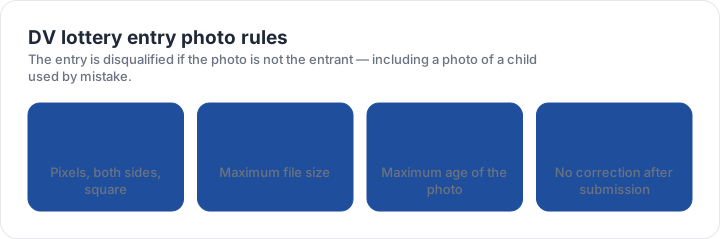
A DV entry needs a square digital photograph between 600 × 600 and 1200 × 1200 pixels, as a JPEG no larger than 240 KB, taken within the last six months, on a plain white or off-white background with no glasses. These are the same file limits used by several U.S. immigration forms, which is convenient: one well-prepared square usually serves the whole application.
The requirement most often missed is not technical. The photograph must be of the entrant. Entries are disqualified, not corrected, when the image shows someone else — most commonly a child’s photo uploaded by a parent preparing several entries in one sitting.
Why there is no second chance
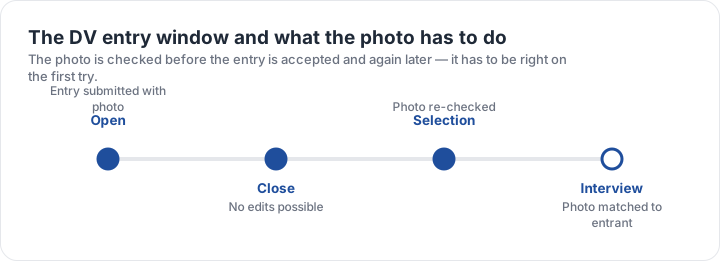
The entry is submitted with the photo attached, and the entry window closes without an editing period. The image is checked at submission and matched again later in the process, so a photograph that passes the upload screen and fails the later comparison ends the entry just as completely.
This is why the sensible approach is to prepare the file before the window opens. A compliant square sitting ready on the device, with its head band already correct, takes about two minutes to attach once the window is live — instead of twenty minutes of resizing while the form times out.
The most common mistake is geometrical, not photographic. A sharp phone photo whose head fills the wrong share of the frame is rejected, while a plainer one with the head inside the band passes. The checker measures exactly that.
Building the file
- Shoot a compliant photographPlain wall, daylight, head 25–35 mm in a 2 × 2 inch frame.
- Crop square, then resizeBetween 600 and 1200 pixels on both sides.
- Compress below 240 KBQuality near 80 is usually enough without softening the eyes.
- Verify the file, not the previewOpen it at 100 per cent and check the eyes are crisp.
- Attach it onceOne entry per person; a second entry disqualifies both.
The pixel window has a floor as well as a ceiling. A file under 600 pixels on either side is refused, and upscaling a small image to reach the floor does not restore the detail the system is checking for. Start from a photograph that is already large enough.
What to check on your own entry before submitting
Confirm four things: the image is square, both sides are inside the pixel window, the file is under 240 KB, and the person in the photograph is the entrant. Then check the softer rules that the upload screen cannot see — no shadow behind the head, a neutral expression, and no editing of any kind.
The checker preset for a DV entry photo reports the pixel dimensions, the aspect ratio, the file size and the background from your own file. The digital comparison page shows how the DV window differs from the wider U.S. passport upload, and the green card page covers the same square with a 30-day recency rule.
| Requirement | What the official rule says | |||||||
|---|---|---|---|---|---|---|---|---|
| ('Country / document', 'United States — DV lottery entry — digital photo') | ('Printed size', '51 × 51 mm') | ('Head height', '25–35 mm chin to top of head') | ('Digital upload', '600 × 600 px minimum, up to 1200 px') | ('File format & size', 'JPG, JPEG, under 0 MB') | ('Background', 'Plain white or off-white background') | ('Recency', 'Taken within the last 6 months') | ('Glasses', 'No glasses') | ('Official source', 'Official page') |
Specification source: https://dvprogram.state.gov/ · checked October 2026 · Diversity Visa programme entry.