
The same square, a shorter clock
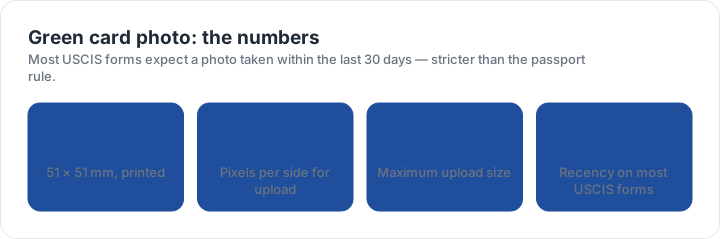
The block is 2 × 2 inches, or 51 × 51 mm, with the head between 25 mm and 35 mm from chin to the top of the head, on a plain white to off-white background with no shadow, and no glasses. So far this is identical to a passport photo.
The difference is recency. Most USCIS immigration forms ask for a photograph taken within the last 30 days, where a passport photo may be up to six months old. Using a photo that was already in a drawer for two months is the single easiest way to have a green card application returned, and the date is not visible on the image, so it cannot be argued at the counter.
Paper filing, upload, or both
Many USCIS filings want the photo twice: printed copies attached to a paper package and a file uploaded with the form. The digital side accepts a square JPEG from 600 × 600 to 1200 × 1200 pixels, no larger than 240 KB. The paper side wants two identical colour prints, and instructions sometimes ask for a pencil note on the back of one.
Write in pencil rather than ink. Ink shows through on some photo papers and can be read as a mark on the face of the image, which is precisely the kind of defect that gets a package returned. If the form does not ask for a note, leave the back blank.
The most common mistake is geometrical, not photographic. A sharp phone photo whose head fills the wrong share of the frame is rejected, while a plainer one with the head inside the band passes. The checker measures exactly that.
Preparing a green card photo package
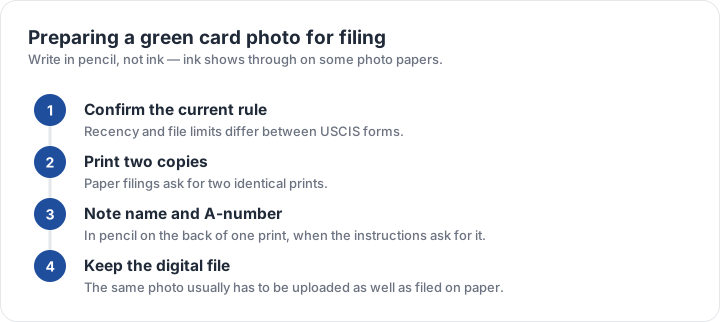
- Confirm the rule on your formRecency and file limits differ between USCIS forms.
- Shoot freshWithin the last 30 days, plain wall, daylight, neutral expression.
- Print two identical copiesPaper filings ask for two prints of the same image.
- Note the details if askedName and A-number in pencil on the back of one print.
- Export the upload fileSquare JPEG, 600–1200 pixels, under 240 KB, same image.
Keep the digital original. If a form is amended or refiled within the 30-day window, a second print from the same file is free, while a second photo session costs money and time.
Where green card photo rules sit next to the rest
In block and head band terms this is a U.S. passport photo. In file terms it matches the visa and DV ceilings at 240 KB. In recency it is the strictest document on this site. That combination means the safe habit is to prepare a square photograph to the passport standard and then check the clock on the specific form before printing.
The checker preset for a green card photo reports the block, the head height between the guide lines, the background and the file limits. The U.S. visa page covers the same square with the 240 KB upload, and the size matrix places every block side by side.
| Requirement | What the official rule says | |||||||
|---|---|---|---|---|---|---|---|---|
| ('Country / document', 'United States — U.S. green card — printed photo') | ('Printed size', '51 × 51 mm (2 × 2 in)') | ('Head height', '25–35 mm chin to top of head') | ('Digital upload', '600 × 600 px minimum, up to 1200 px') | ('File format & size', 'JPG, JPEG, under 0 MB') | ('Background', 'Plain white to off-white, no shadows') | ('Recency', 'Taken within the last 30 days for most USCIS forms') | ('Glasses', 'No glasses') | ('Official source', 'Official page') |
Specification source: https://www.uscis.gov/photos · checked October 2026 · USCIS immigration forms such as I-485 and I-90.